




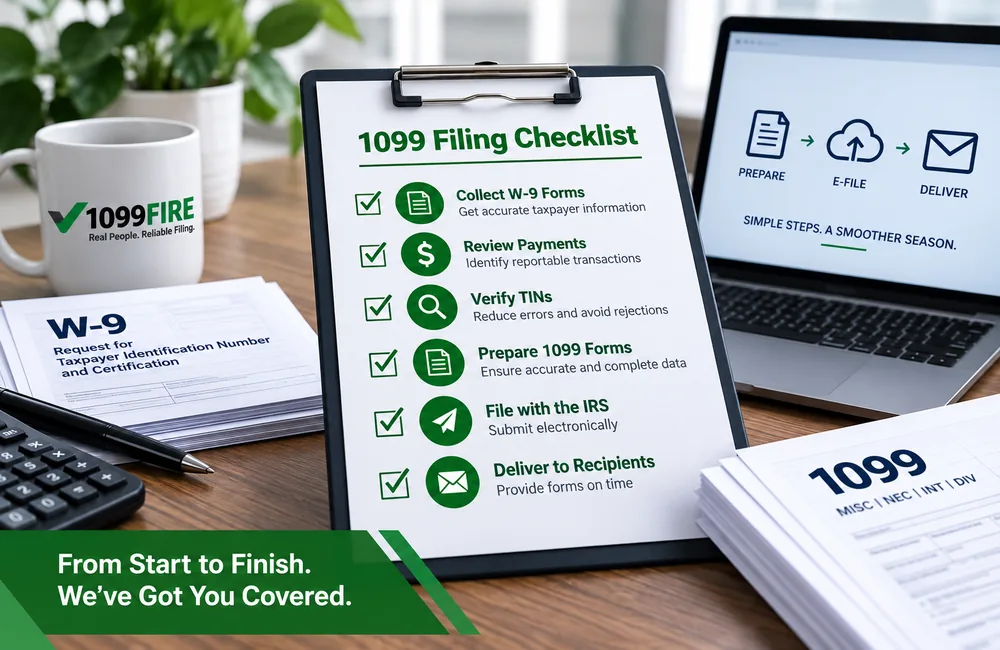
Accurate 1099 filing starts well before January. You can head off most year-end problems by collecting taxpayer information when you onboard vendors, tracking payments that may be reportable during the year, checking recipient information, and reviewing filing requirements before deadlines get close.
This checklist walks through the entire business 1099 process, from collecting Form W-9 and reviewing reportable payments to filing with the IRS, delivering recipient copies, and correcting errors after filing.
1099 Filing Checklist at a Glance
Use this checklist as a year-round workflow rather than waiting until filing season to start.
| Done | What to do | When |
| ☐ | Identify vendors and payments that may require information reporting | During vendor setup and throughout the year |
| ☐ | Collect Form W-9 | During vendor onboarding, ideally before the first payment |
| ☐ | Review W-9 information for completeness | When received |
| ☐ | Track potentially reportable payments | Throughout the year |
| ☐ | Reconcile vendor payment totals | Before year-end filing |
| ☐ | Determine which 1099 form applies | Before preparing returns |
| ☐ | Verify recipient names and TINs | Before filing |
| ☐ | Review federal and state filing requirements | Before filing season |
| ☐ | Prepare and review 1099 forms | Before the applicable deadlines |
| ☐ | Furnish recipient statements | By the applicable recipient deadline |
| ☐ | File returns with the IRS | By the applicable IRS deadline |
| ☐ | Confirm filing status and acceptance | After submission |
| ☐ | Correct errors promptly | When an error is identified |
| ☐ | Keep appropriate filing records | After filing |
Think of 1099 reporting as a year-round process
Vendor onboarding → During the year → Before year-end → Filing season → After filing
Collect clean taxpayer information when a vendor is set up, monitor potentially reportable payments during the year, reconcile and verify the data before filing season, then confirm acceptance and address corrections after filing. The less cleanup left for January, the smoother the process tends to be.
Step 1: Identify Vendors and Payments That May Require a 1099
Start by finding the payments that may fall under information reporting rules. Look through your vendors, contractors and other payees, but focus on the payment itself. What someone is called in your system doesn’t decide whether a 1099 is required.
Not every business payment leads to a Form 1099. A useful first pass is to ask five questions:
- Was the payment made in the course of a trade or business?
- What was the payment for?
- Who received the payment?
- How much was paid during the calendar year?
- How was the payment made?
The answers help determine whether information reporting may be required and which form may apply. Several factors affect the answer:
- The type of payment
- The payee’s entity type
- How the payment was made
- The amount paid during the year
- Any reporting exceptions that apply
Different payments may also go on different forms. Payments for services by a nonemployee usually go on Form 1099-NEC. Rents and certain other payments often go on Form 1099-MISC. There are many others.
Important: Don’t decide whether a payment is reportable based only on the vendor’s name or the expense category in your books. Reporting depends on the nature of the payment and the IRS rules that apply to it.
Step 2: Collect Form W-9 Early
If you wait until January to ask for missing taxpayer information, you’re creating problems you didn’t need to have. Vendors are slower to respond once they’ve been paid. Some are hard to reach. Others have changed names or addresses.
The better approach is to make W-9 collection part of vendor onboarding. Ask for it before or when you set up the vendor, not after the first payment goes out.
A completed Form W-9 generally gives you:
- The payee’s name
- A business or disregarded entity name, when one applies
- Federal tax classification
- Address
- Taxpayer Identification Number (TIN)
- Certifications and a signature, when required
The IRS notes that information collected on Form W-9 must be kept confidential and used for tax purposes. Treat these forms like any other sensitive record.
Important: Collecting Form W-9 does not automatically mean you must issue that vendor a Form 1099. The W-9 provides taxpayer information you may need if a reportable payment is made. Whether a 1099 is required depends on the payment and the reporting rules that apply.
What if a vendor refuses to provide a W-9?
A missing TIN can lead to reporting issues and backup withholding obligations. The rules on soliciting a TIN and when backup withholding applies are specific, so check current IRS guidance before you decide what to do. Don’t just skip the vendor at year-end.
Step 3: Review W-9 Information Before Year-End
Collecting a W-9 isn’t the same as checking it. A form sitting in a file can still be incomplete or wrong.
Look for:
- A missing TIN
- A missing or inconsistent name
- An incomplete tax classification
- Confusion between a legal name and a DBA
- Obvious typos or data-entry mistakes
- Unsigned or partially completed forms
Sole proprietors and single-member LLCs that are disregarded entities need a closer look. IRS instructions set specific rules for which name and which TIN belong on the information return in these cases. Getting it wrong is one of the most common sources of name/TIN mismatches.
Step 4: Track and Reconcile Reportable Payments
Before you prepare anything, make sure your accounting records support the numbers you’re about to report.
- Compare vendor totals to your general ledger or AP system.
- Confirm the amount paid during the calendar year.
- Look for duplicate vendor records.
- Find payments recorded under more than one vendor name.
- Review refunds, voids and adjustments.
- Check payment methods, since reporting responsibilities can differ
depending on how a payment was made. For example, certain payment card and third-party network transactions may be reportable by a payment settlement entity on Form 1099-K rather than by the business on Form 1099-NEC or Form 1099-MISC. Verify the current IRS rules for the payment method involved.
- Flag vendors added late in the year, who may not have a W-9 on file yet.
Pro Insight: Start the year-end review before January. Missing W-9s and messy vendor records are much easier to fix before filing deadlines are close.
Step 5: Determine the Correct 1099 Form
The right form depends mainly on the type of reportable payment. Here are some common examples:
| Type of payment or transaction | Common form | Example |
| Nonemployee compensation | 1099-NEC | Payments for contractor services |
| Rents and certain other payments | 1099-MISC | Office or equipment rent |
| Interest | 1099-INT | Certain interest payments |
| Dividends | 1099-DIV | Dividend distributions |
| Real estate transactions | 1099-S | Certain real estate proceeds |
| Payment card and third-party network transactions | 1099-K | Payments reported by applicable payment settlement entities |
This is not a complete list. Reporting thresholds and form requirements can change, so check the instructions for the tax year you’re filing.
For help choosing among the different information returns, see our guide on which 1099 form you need.
Step 6: Verify Recipient Names and TINs
A name and TIN that don’t match IRS records can cause problems after you file. It’s much easier to fix them beforehand.
- Compare what you plan to file against the vendor’s W-9.
- Don’t “correct” a legal name based on a guess.
- Understand the difference between a DBA and the name that goes with the TIN.
- Consider using IRS TIN Matching before filing when it fits your process.
- Resolve any discrepancies before you submit returns whenever you can.
TIN Matching checks whether a name and TIN combination matches IRS records. It’s a useful step, but it doesn’t confirm that everything else on the return is correct, like the form type, the amounts or the tax treatment of the payment.
If you want to incorporate verification into your filing workflow, you can also review our TIN Matching services.
Step 7: Review Federal and State Filing Requirements
Federal and state requirements are separate questions. Handle them separately.
Don’t assume there is one “1099 deadline.” A business may need to track a recipient furnishing deadline, an IRS filing deadline, and one or more state filing deadlines. The applicable dates can also differ by form and filing method.
Federal filing requirements
Before filing season, figure out:
- Whether you’re required to file electronically
- The IRS filing deadline for each form you’ll file
- The recipient statement deadline for each form, which may differ
from the filing deadline
- Whether you have the right filing method and access set up
Under current IRS rules, filers generally have to e-file when they have 10 or more information returns in total for the year. That count includes certain other returns, such as Forms W-2. Thresholds like this can change, so confirm the rule for the year you’re filing.
State filing requirements
Filing with the IRS doesn’t automatically take care of every state requirement. For each state involved, find out:
- Whether the state requires separate 1099 filing
- Whether the form is part of the Combined Federal/State Filing
Program
- Whether direct state filing is still required even with that program
- The state’s thresholds and deadlines
Rules vary widely. Our guide to state-specific 1099 filing requirements covers the details.
Step 8: Prepare and Review the 1099 Forms
Once the data is in place, prepare the forms. Then review them. When you can, have someone other than the preparer do the review. A second set of eyes catches things the first one misses.
Check:
- Payer name and TIN
- Recipient name
- Recipient TIN
- Recipient address
- The form type
- The reporting boxes used
- Payment amounts
- Federal income tax withheld, if any
- State information, if applicable
- Tax year
Step 9: Furnish 1099 Statements to Recipients
Filing with the IRS and giving a statement to the recipient are two separate obligations. Doing one doesn’t satisfy the other.
- Find the recipient deadline for each form you’re filing. They aren’t all the same.
- Confirm recipient addresses before mailing.
- If you deliver statements electronically, make sure you meet the IRS
- requirements for electronic delivery, including recipient consent.
- If you use substitute statements, make sure they meet IRS requirements.
- Keep a record of how and when statements were delivered.
Step 10: File the 1099s With the IRS
Preparing a return and transmitting it are different steps. Once your forms are reviewed:
- Confirm the filing method you’ll use.
- File electronically if you’re required to.
- Submit by the deadline for each form.
- Don’t assume every 1099 type has the same due date.
- Save your submission records.
If you file electronically, check which IRS filing system and transmission requirements apply to the forms and tax year you’re filing.
For tax year 2026 information returns filed during the 2027 filing season, the IRS is retiring the FIRE system and transitioning those information-return filings to the Information Returns Intake System (IRIS). Current FIRE users should make sure they have the appropriate IRIS access and filing process in place before filing season. Because IRS filing systems and supported forms can change, verify the current requirements for the tax year you are filing.
Step 11: Confirm the Filing Was Accepted
Filing is not complete just because a file was transmitted. Many basic checklists stop at “submit,” but a transmission can be rejected or have errors. Check the IRS acknowledgement or submission status and confirm that the filing was accepted.
After filing:
- Check your submission status.
- Review IRS acknowledgements or results.
- Look into any rejected submissions right away.
- Fix transmission problems quickly so you don’t miss the deadline.
- Keep proof that the filing was accepted.
Step 12: Correct Errors When Necessary
If you find an error after filing, you may need to file a corrected return and send a corrected statement to the recipient. Common examples:
- Wrong dollar amount
- Wrong recipient name
- Wrong TIN
- Wrong form
- A return filed for someone who shouldn’t have received one
How you correct a return depends on the type of error and how you filed. IRS instructions treat some errors as one-step corrections and others as two-step corrections, for example. For a closer look at that distinction, see our guide to the difference between one-step and two-step corrections.
If you would rather have the correction handled for you, we also offer 1099 correction services.
Step 13: Keep Your 1099 Filing Records
The last step is keeping the records that support what you filed. These may include:
- W-9s
- Payment records
- Copies of filed returns, or the ability to reconstruct them
- Filing acknowledgements
- Records of recipient delivery
- Correction records
- TIN Matching results, where applicable
There’s no single retention period that covers everything. IRS instructions set different recordkeeping rules depending on the situation, including when backup withholding applies. Check the current instructions for the forms you file.
Common 1099 Filing Mistakes to Avoid
A good checklist is also about knowing where the process commonly breaks down. Watch for these mistakes:
- Waiting until January to collect missing W-9s
- Assuming every vendor needs a 1099
- Choosing a form based only on the vendor type instead of the payment
- Overlooking how the payment method affects reporting
- Using a DBA when the appropriate taxpayer name should be reported
- Filing an incorrect or unverified TIN
- Assuming every 1099 form has the same deadline
- Forgetting separate state filing requirements
- Treating a transmitted file as an accepted filing
- Failing to address rejected returns or known errors promptly
Most of these problems are easier to prevent before filing season than to correct afterward.
A Better 1099 Process Starts Before January
The easiest filing season is one that starts months earlier. Collecting W-9s when you onboard vendors, keeping vendor records clean, tracking reportable payments and fixing name/TIN issues before year-end all cut down on the cleanup you face when deadlines arrive.
For Tax Year 2026 and beyond, businesses generally have two practical ways to manage the process:
- Handle preparation and filing internally using their own process.
- Outsource 1099 filing, including some or all of the preparation, filing and recipient-delivery workflow.
The right approach depends on filing volume, internal resources, the complexity of the data and how much of the year-end process the business wants to manage itself.
Frequently Asked Questions
When should a business collect Form W-9 from a vendor?
Best practice is to collect it during vendor onboarding, before the first payment. There’s no single rule that sets an exact deadline for every situation. But asking early makes it more likely you’ll get complete information, and you can deal with any problems before they affect your filing.
Does every vendor need a 1099?
No. Whether you need to file depends on the type of payment, the amount, the payee’s classification, how you paid and any exceptions that apply. Check the current IRS instructions for the forms involved.
Should I verify a vendor’s TIN before filing a 1099?
Start by confirming that the taxpayer information you plan to use matches the vendor’s completed Form W-9. IRS TIN Matching may also be used by eligible payers or authorized agents to check whether certain name/TIN combinations match IRS records before filing. It doesn’t validate the rest of the return, but pre-filing matching can help reduce name/TIN mismatch problems.
Do I send the 1099 to the recipient before filing it with the IRS?
They’re separate requirements with their own deadlines. Depending on the form and the year, the recipient deadline may come before, on or after the IRS filing deadline. Check both deadlines for each form you file.
What should I do if I discover an error after filing a 1099?
Correct it promptly. You’ll usually need to file a corrected return with the IRS and send a corrected statement to the recipient. The steps depend on the type of error and how you originally filed.