



IRS E-Filing & Transmission Systems Guide
Electronic information returns are submitted through different federal filing systems depending on the type of return, filing method, and reporting program involved. Forms commonly associated with 1099 reporting use different systems from ACA returns, W-2 wage reports, and certain international information returns.
The 1099FIRE IRS E-Filing & Transmission Systems Guide brings together practical resources for businesses, tax professionals, payroll teams, software providers, and other organizations responsible for electronically submitting information returns.
Use this hub to find guidance on:
✅ Understanding which federal e-filing system applies to each type of return
✅ Filing information returns through the IRS Information Returns Intake System (IRIS)
✅ Choosing between the IRIS Taxpayer Portal and Application-to-Application filing
✅ Applying for and managing an IRIS Transmitter Control Code
✅ Preparing files and data for electronic submission
✅ Understanding submission statuses, acknowledgements, and rejections
✅ Transitioning from the legacy FIRE system to IRIS
✅ Understanding how AIR, SSA filing systems, and IDES differ from IRIS
Explore IRS E-Filing & Transmission Topics
Electronic filing requirements vary by form and filing system. Before preparing a transmission, filers need to determine which federal platform accepts the return, whether a Transmitter Control Code or other enrollment is required, and which filing method best fits their volume and technical capabilities.
Use the topics below to explore the major IRS and federal electronic filing systems and find guidance for the filing workflow you are working through.
Information Returns Intake System (IRIS)
The Information Returns Intake System (IRIS) is the IRS platform used to electronically file many information returns, including Forms 1099 and other supported information-return types.
IRIS provides filing methods for businesses of different sizes and technical capabilities and can also be used for supported corrections and extension requests.
IRIS Taxpayer Portal vs. Application-to-Application
IRIS provides two primary filing channels: the browser-based Taxpayer Portal and IRIS Application-to-Application (A2A) transmission.
The Taxpayer Portal can be useful for organizations preparing returns through an interactive interface, while A2A is designed for software-based transmission workflows and larger or more automated filing operations.
Our resources compare the two methods and help filers determine which approach best fits their filing volume, technical resources, and operational needs.
IRIS TCC Applications & Transmitter Setup
Organizations filing through IRIS generally need an IRIS Transmitter Control Code (TCC) before transmitting information returns.
Our IRIS TCC resources cover application requirements, responsible officials, expected processing considerations, transmitter setup, and common issues that can delay an organization from becoming filing-ready.
IRIS CSV Upload vs. A2A Filing
Organizations using IRIS may prepare information returns through different workflows depending on filing volume and technical capabilities.
Our IRIS CSV upload vs. A2A guidance explains the differences between portal-based bulk preparation and automated transmission, including workflow, file preparation, record-volume considerations, and operational requirements.
IRIS Filing Statuses, Errors & Rejections
Submitting an information return is only one part of the electronic filing process. Filers must also review processing results and determine whether the IRS accepted the submission or identified errors requiring additional action.
Our resources explain IRIS filing statuses and rejections, common submission problems, acknowledgement workflows, and what filers should do when returns are not successfully processed.
FIRE to IRIS Transition
The IRS is retiring the Filing Information Returns Electronically system and moving information-return intake to IRIS.
Organizations that historically filed through FIRE should understand the transition timeline, obtain the appropriate IRIS credentials, review changes to their filing workflow, and prepare for the move before their next filing season.
Our FIRE to IRIS migration resources explain the transition and the practical steps existing FIRE filers should take. Form 1099-MISC filers can also review our Form 1099-MISC 2026 IRIS Filing Guide for specific guidance on Publication 1220 file changes, FIRE TCCs, IRIS filing methods, and the 2027 filing workflow.
Other Federal E-Filing Systems
IRIS is not the filing system for every federal information return.
ACA information returns use AIR, W-2 wage reports are filed with the Social Security Administration, and Form 8966 is transmitted through IDES.
Understanding the differences among IRIS, AIR, SSA filing systems, and IDES can help organizations avoid preparing or submitting returns through the wrong platform.
Understanding the Major Federal Filing Systems
Different reporting programs use different electronic filing platforms. Knowing which system accepts a particular return is one of the first steps in building the correct filing workflow.
IRIS
The Information Returns Intake System (IRIS) accepts many IRS information returns, including the 1099 series and other supported information-return forms.
IRIS offers both a browser-based Taxpayer Portal and an Application-to-Application transmission channel.
AIR
The Affordable Care Act Information Returns system (AIR) is used to electronically submit ACA Forms 1094-B, 1095-B, 1094-C, and 1095-C.
AIR has its own application, TCC, testing, transmission, and acknowledgement procedures and should not be confused with IRIS.
FIRE
The Filing Information Returns Electronically system has historically accepted many information returns, but the IRS is retiring FIRE as it completes the transition to IRIS.
Existing FIRE users should prepare for the change rather than assuming an existing FIRE TCC or filing process will automatically carry over to IRIS.
IDES
The International Data Exchange Service, or IDES, is used for electronic transmission of Form 8966 FATCA reporting.
Organizations responsible for FATCA information reporting should follow the separate enrollment, authentication, and filing procedures applicable to IDES.
Preparing for Electronic Filing
Before transmitting information returns, organizations should review both their filing data and the requirements of the applicable electronic filing system.
Depending on the system and return type, preparation may include:
- Confirming which federal filing platform accepts the return
- Determining whether electronic filing is required
- Obtaining the appropriate TCC or filing credentials
- Verifying payer or employer identification information
- Reviewing recipient names and taxpayer identification numbers
- Preparing files in the required format
- Validating data before transmission
- Testing software or transmission workflows when required
- Monitoring acknowledgements and submission statuses
- Correcting rejected or inaccurate returns
Pre-filing processes such as TIN Matching and recipient-data validation can also help reduce avoidable information-return errors before a submission is made.
FIRE Retirement & the Transition to IRIS
Before transmitting information returns, organizations should review both their filing data and the requirements of the applicable electronic filing system.
The transition from FIRE to IRIS is particularly important for organizations that have used FIRE for prior-year information-return filing.
Current FIRE users should prepare for:
- Obtaining an IRIS TCC
- Reviewing whether the Taxpayer Portal or A2A method is appropriate
- Updating software or transmission workflows
- Understanding IRIS file and data requirements
- Testing new filing processes before production submissions
- Reviewing how prior-year returns and corrections will be handled
- Training internal teams on new submission and acknowledgement procedures
Featured IRS E-Filing & Transmission Guides
Explore our latest and most useful resources covering IRIS, FIRE retirement, electronic filing systems, transmitter setup, file preparation, submission errors, and filing workflows.
Form 1099-MISC Filing for 2026: FIRE Retirement, IRIS File Changes & What Filers Need to Know
Tax year 2026 Forms 1099-MISC are filed in early 2027, and they will not go through FIRE. The IRS is retiring the Filing Information Returns
2026 Form 1099 Filing Changes: What Businesses Need to Know Before 2027
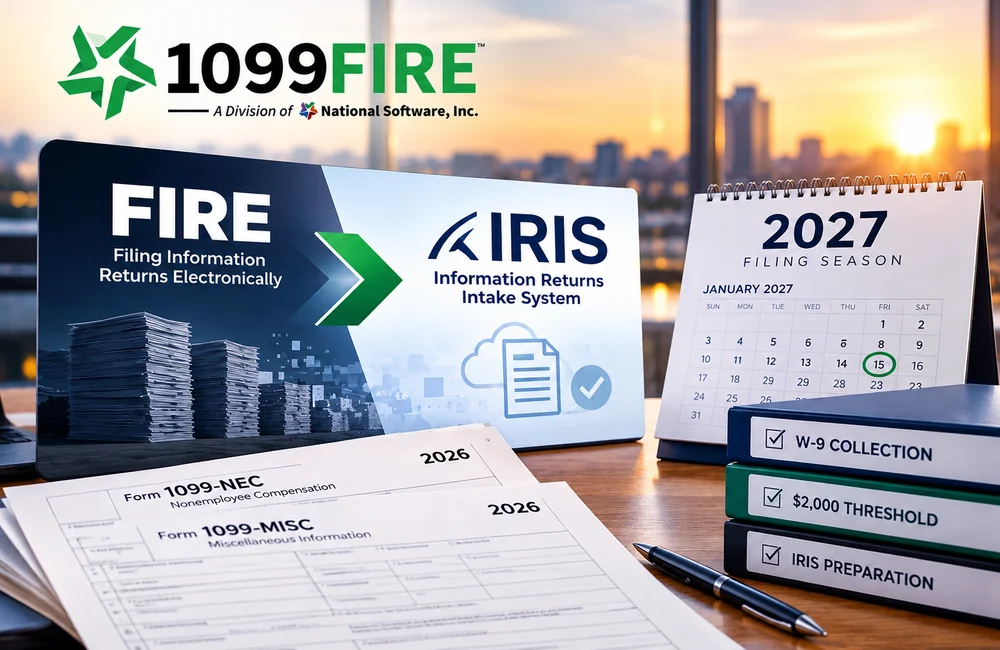
The 2026 1099 filing changes: FIRE retirement, the move to IRIS, the new $2,000 threshold and how to prepare for the 2027 filing season.

IRS IRIS Record Limits: What You Need to Know About File Upload Capacity
The IRS has now officially increased the IRIS Taxpayer Portal CSV upload limit from 100 records to 250 records per file, making the system more

What Is IRS IRIS? The New IRS System for Filing 1099s
IRS IRIS is the Information Returns Intake System, the IRS platform for e-filing Forms 1099 and other information returns. It replaces FIRE, the system businesses

Application Process for a FIRE TCC
If you plan to electronically file information returns with the IRS, you must complete the application process for IRS FIRE TCC (Transmitter Control Code). This
IRS FIRE system file status
The IRS FIRE (Filing Information Returns Electronically) system allows businesses to check whether their electronically filed information returns are accepted, rejected, or pending. Understanding these
E-Filing Forms, Templates & Preparation Tools
Looking for import templates, sample files, filing checklists, reference materials, or other preparation resources?
Visit our Forms, Templates & Filing Tools library for resources designed to help organizations prepare information-return data for electronic filing.
Frequently Asked Questions About IRS Electronic Filing Systems
What is IRIS?
IRIS is the IRS Information Returns Intake System used to electronically submit many types of information returns. It provides both a Taxpayer Portal and an Application-to-Application transmission method.
Is FIRE being replaced by IRIS?
Yes. FIRE is being retired as the IRS transitions information-return filing to IRIS. Current FIRE users need to transition to IRIS for information returns filed during the 2027 filing season.
Read the FIRE to IRIS Migration Guide →
Is an existing FIRE TCC valid for IRIS?
A FIRE TCC does not automatically serve as an IRIS TCC. Organizations transitioning from FIRE should review the IRIS TCC application requirements and obtain the credentials necessary for IRIS filing.
Are ACA Forms 1094 and 1095 filed through IRIS?
No. ACA Forms 1094-B, 1095-B, 1094-C, and 1095-C are electronically submitted through the ACA Information Returns system (AIR) rather than IRIS.
Explore ACA Reporting & AIR Guidance →
Are W-2 forms filed through IRIS?
No. Forms W-2 and W-2c are filed electronically with the Social Security Administration.
Explore W-2 & Wage Reporting →
Need Help With Electronic Information Return Filing?
Electronic filing can become complex when organizations are managing multiple return types, large filing volumes, transmitter credentials, system transitions, file-format requirements, or rejected submissions.
1099FIRE can help organizations prepare and submit information returns, transition from FIRE to IRIS, manage filing corrections, and navigate electronic filing requirements.